 Theme Options
You may be able to find the JSON file at the path "src/app/api/themeOptions/themeOptions.json" to make the changes.
General
Change Site Title
Then, make changes in the option > general > site_title
{
  "site_title": "E-Commerce Marketplace: Where Vendors Shine Together",
  // Other JSON fields
}
Change Site Tagline
Then, make changes in the option > general > site_tagline
{
  "site_tagline": "Shop Unique, Sell Exceptional – E-Commerce Multi-Vendor Universe.",
  // Other JSON fields
}
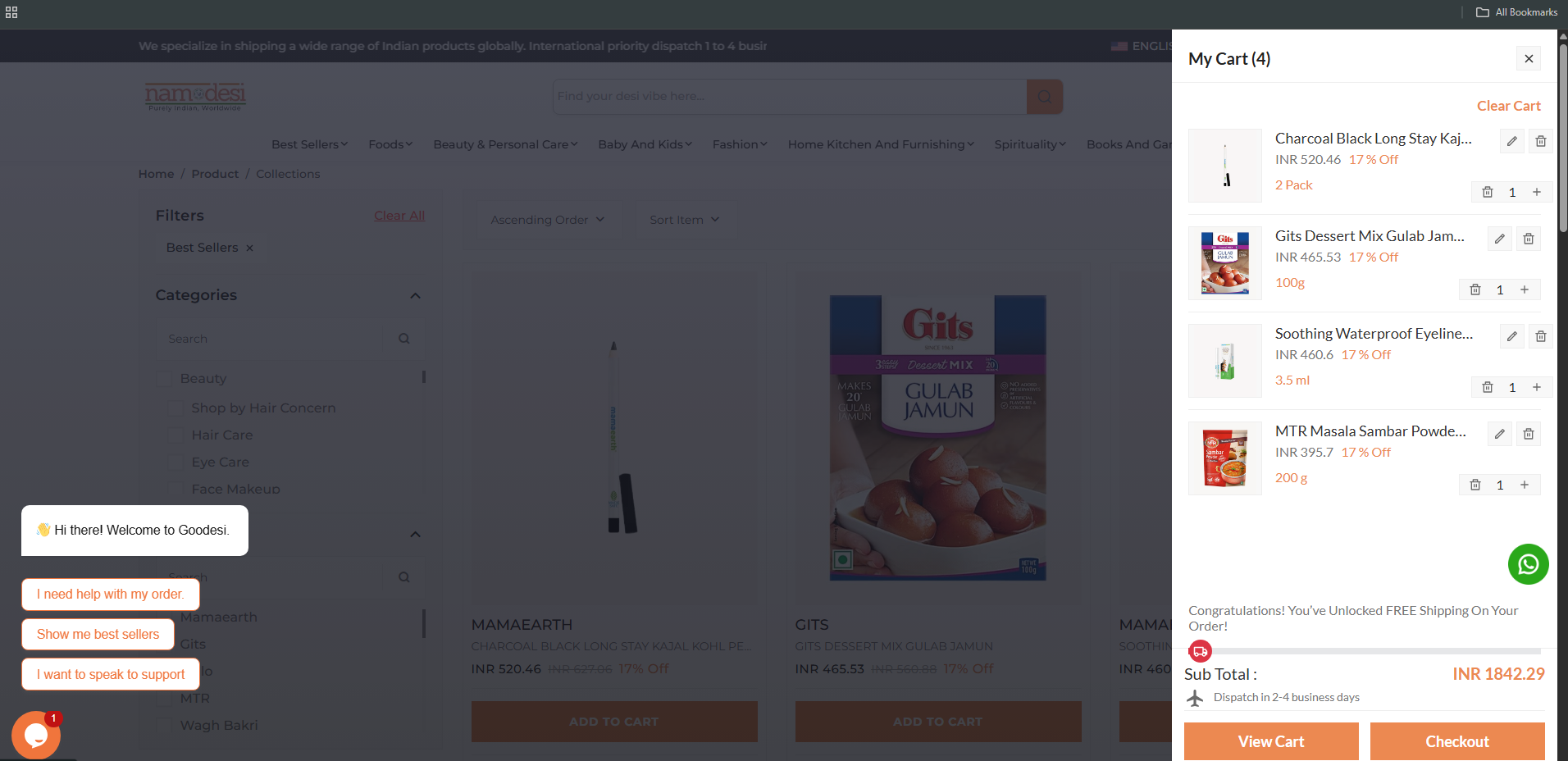
Cart Style
Then, make changes in the option > general > cart_style
2 option "cart_sidebar" and "mini_cart"
{
  "cart_style": "cart_sidebar",
  // Other JSON fields
}
Cart Sidebar
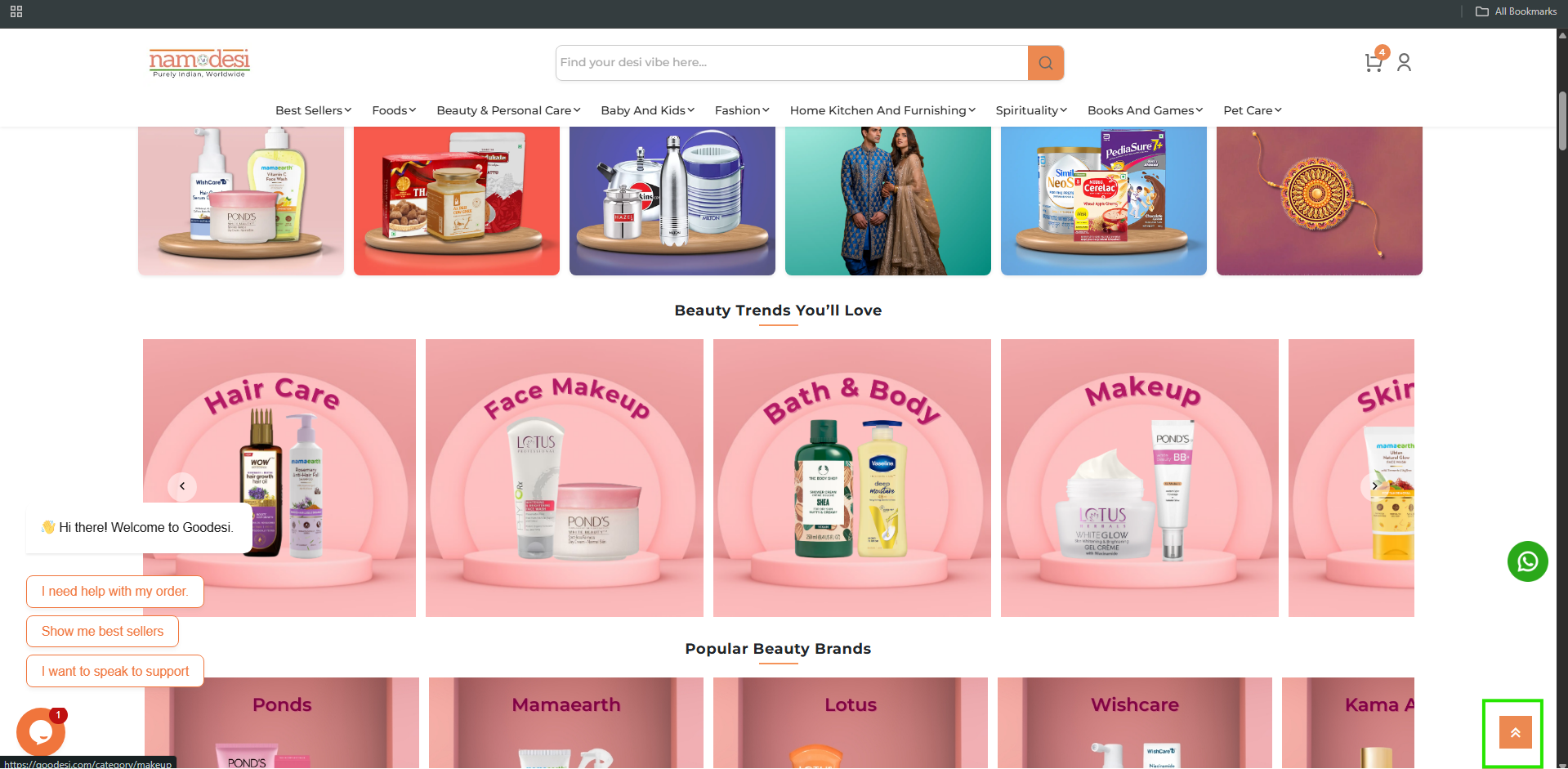
Back To Top
Then, make changes in the option > general > back_to_top_enable
{
  "back_to_top_enable": true,
  // Other JSON fields
}
Set Default Primary Color
Then, make changes in the option > general > primary_color
{
  "primary_color": "#ec8951",
  // Other JSON fields
}
Set Header Logo, Footer Logo And Favicon Icon
Then, make changes in the option > logo > header_logo
It would be similar for Header Logo, Footer Logo And Favicon Icon
"header_logo": {
  "id": 3939,
  "name": "logo (1)",
  "file_name": "logo-(1).png",
  "mime_type": "image/png",
  "disk": "public",
  "created_by_id": "1",
  "created_at": "2024-06-25T10:19:57.000000Z",
  "asset_url": "/storage/3939/logo-(1).png",
  "original_url": "assets/images/settings/logo-dark.png"
},
Sticky header
Then, make changes in the option > header > sticky_header_enable
{
  "sticky_header_enable": true,
  // Other JSON fields
}
Footer
Set Default Footer Style
Then, make changes in the option > footer > footer_style
You can choose any of the 8 Styles:
Footer About
"footer_copyright": true
If you enable this, the copyright content will be visible.
"copyright_content": "2024-25 Bizondigital ",
You can make changes in the Copyright Content.
"footer_about": "Discover the latest trends and enjoy seamless shopping with our exclusive collections.",
You can make changes in the Footer Description.
"about_address": "E-Commerce Demo Store, Demo Store India 345-659",
You can make changes in the Footer Address.
"about_email": "Support@E-Commerce.com",
You can make changes in the Footer Email Address.
Select Footer Categories
Then, make changes in the option > footer > footer_categories
{
  "footer_categories": [74,41,98,107,12,55],
  // Other JSON fields
}
Select Footer Link
Then, make changes in the option > footer > useful_link
6 Pages are available: "home", "collections", "about-us", "blogs", "offers", "search"
You can also add more pages by adding the string name in "useful_link"
{
  "useful_link": ["home", "collections", "about-us", "blogs", "offers", "search"],
  // Other JSON fields
}
Warning: For the new page, you have to create component and routing!
Contact us
Then, make changes in the option > footer
You will be able to make changes in the values in the below keys.
"support_number": "+1-555-186-5359",
"support_email": "support@gmail.com",
"play_store_url": "https://google.com/",
"app_store_url": "https://apple.com/",
"social_media_enable": true,
"facebook": "https://facebook.com/",
"instagram": "https://instagram.com/",
"twitter": "https://twitter.com/",
"pinterest": "https://pinterest.com/"
Collection
Set Default Collection Style
Then, make changes in the option > collection > collection_layout
{
  "collection_layout": "collection_category_slider",
  // Other JSON fields
}
1) Collection Left Sidebar
2) Collection Right Sidebar
3) Collection No Sidebar
4) Collection 3 Grid
5) Collection 4 Grid
6) Collection 5 Grid
7) Lection List View
8) Category slider
9) Category sidebar
10) Category banner
11) Offcanvas Filter
Product
Set Default Product Page Layout
Then, make changes in the option > product > product_layout
{
  "product_layout": "product_thumbnail",
  // Other JSON fields
}
1) Product Image
2) Product Thumbnail
3) Product Slider
4) Product Sticky
5) Product Tabs
6) Product Accordion
7) Product Digital
"is_trending_product": true,
Enabling this will showcase the product in the sidebar of the product page as a trending item.
"banner_enable": true,
Enabling this will showcase the banner in the sidebar of the product page.
"safe_checkout": true,
A safe checkout image will appear on the product page.
"encourage_order": true,
A random order count between 1 and 100 will be displayed to motivate user purchases.
"encourage_max_order_count": 50,
Specify a number between 1 and 10 to encourage orders.
"encourage_view": true,
This feature encourages users to view products by presenting engaging content or prompts.
"encourage_max_view_count": true,
This feature encourages users to view products by presenting engaging content or prompts.
"sticky_checkout": true,
Enable to make the Add to Cart and checkout options sticky at the bottom of the product page.
"sticky_product": true,
Enable to showcase random products at the bottom of the website.
"social_share": true,
Enable this option to allow users to share the product on social media platforms.
"shipping_and_return": "<p>Shipping and Returns are integral parts of your..,
Enable to showcase random products at the bottom of the website.
Blog
Set Default Blog Style
Then, make changes in the option > blog > blog_style
Change the value of "blog_style" from "grid_view" to "list_view," like this
{
  "blog_style": "list_view",
  // Other JSON fields
}
Blog Style :
Set Blog Sidebar Type
Then, make changes in the option > blog > blog_style
3 Option "left_sidebar", "right_sidebar", and "no_sidebar"
{
  "blog_sidebar_type": "left_sidebar",
  // Other JSON fields
}
"blog_author_enable": true,
Enable this option to show blog author name.
"read_more_enable": true,
Enable this option to show blog box in Read More button.
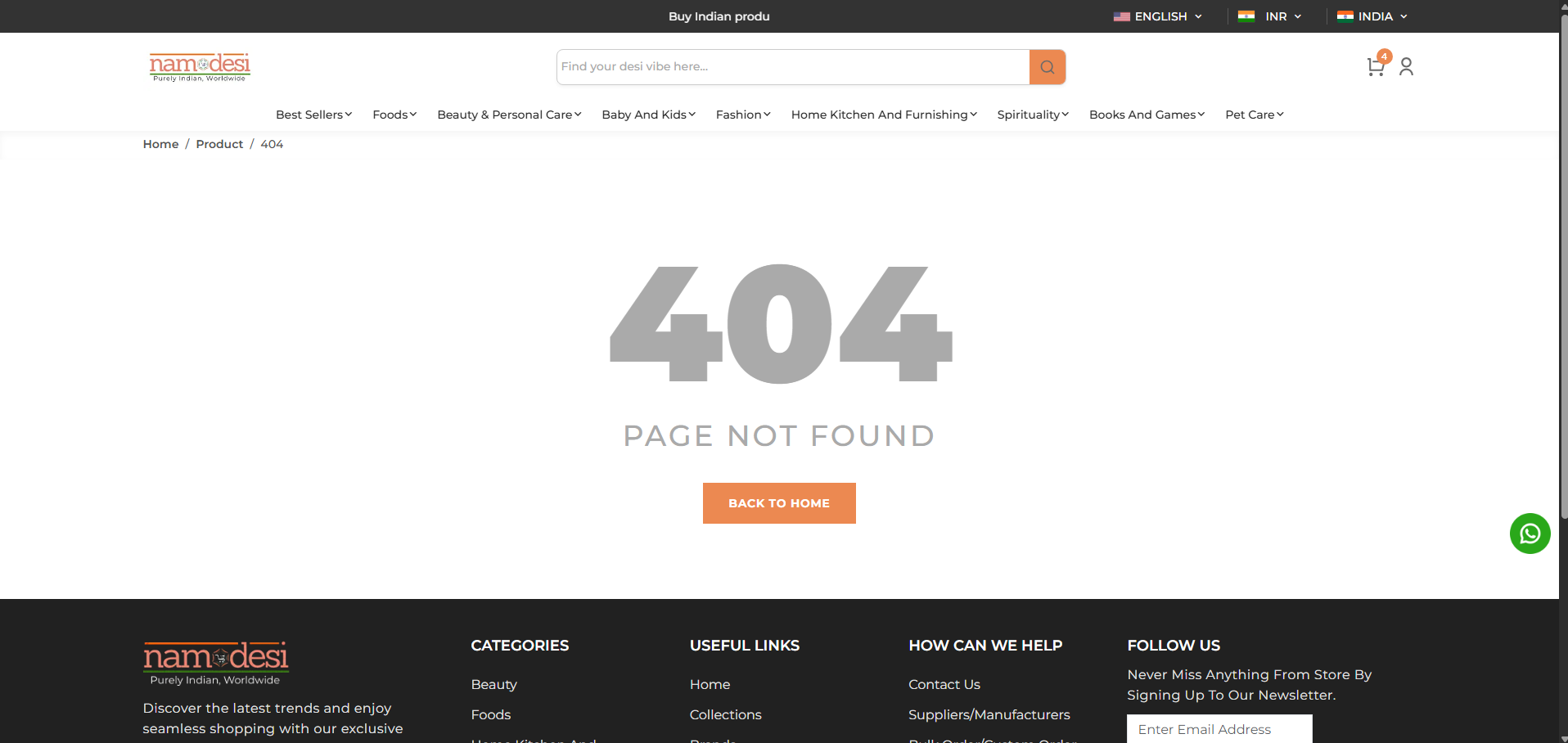
Error Page
Error Page
Then, make changes in the option > error_page
"error_page": {
  "back_button_text": "back to home",
  "back_button_enable": true,
  "error_page_content": "page not found"
}
SEO Configuration
Then, make changes in the option > seo
"seo": {
  "og_title": "E-Commerce Marketplace: Uniting Vendors for Shopping Excellence",
  "meta_tags": "E-Commerce Marketplace: Where Vendors Shine Together",
  "meta_title": "Online Marketplace, Vendor Collaboration, E-commerce Platform",
  "og_image_id": 107,
  "og_description": "Experience a unique shopping journey at E-Commerce Marketplace, where vendors collaborate to provide a vast array of products. Explore, shop, and connection in one convenient destination.",
  "meta_description": "Discover E-Commerce Marketplace – a vibrant online platform where vendors unite to showcase their products, creating a diverse shopping experience. Explore a wide range of offerings and connect with sellers on a single platform.",
  "og_image": {
      "id": 107,
      "name": "fashion_two_1",
      "file_name": "fashion_two_1.png",
      "mime_type": "image/png",
      "disk": "public",
      "created_by_id": "1",
      "created_at": "2024-05-06T03:56:14.000000Z",
      "asset_url": "/storage/107/fashion_two_1.png",
      "original_url": "/images/placeholder/fashion_two_1.png"
  }
},